Example schema
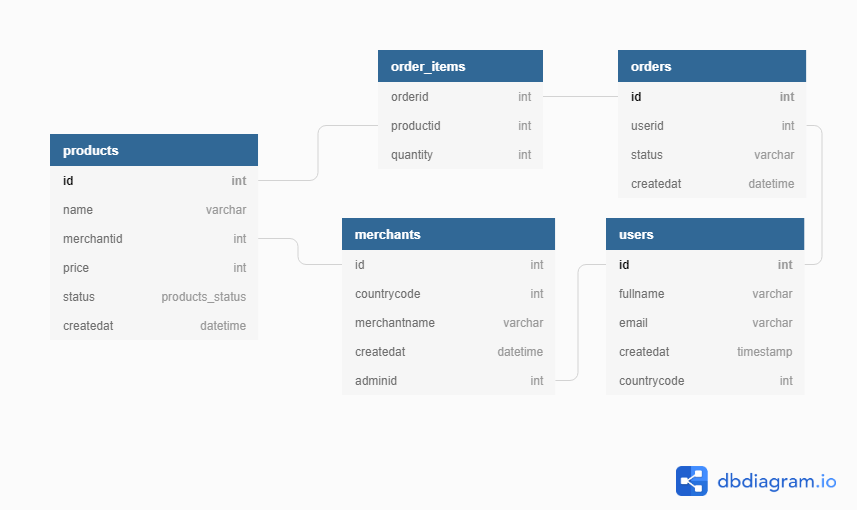
In this schema the personal data sits in theusers table, and other tables reference it by userid. After the migration, that personal data lives in Databunker.
Method 1: keep userid, add a token
Change only the users table. Remove every personal-data column, keep the original userid (or id) column, and add a usertoken column that holds the UUID token Databunker returns when you create the user.
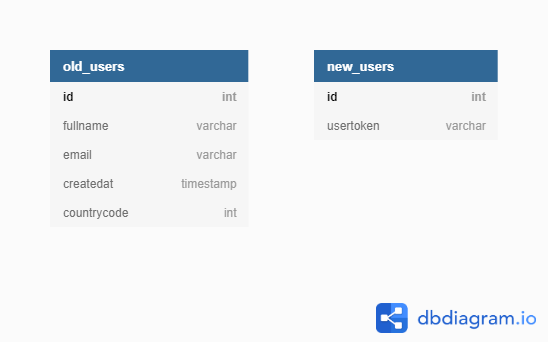
userid is referenced by many tables, because nothing outside users changes.
The trade-off: each user now has two identifiers, userid and usertoken.
Method 2: replace userid everywhere
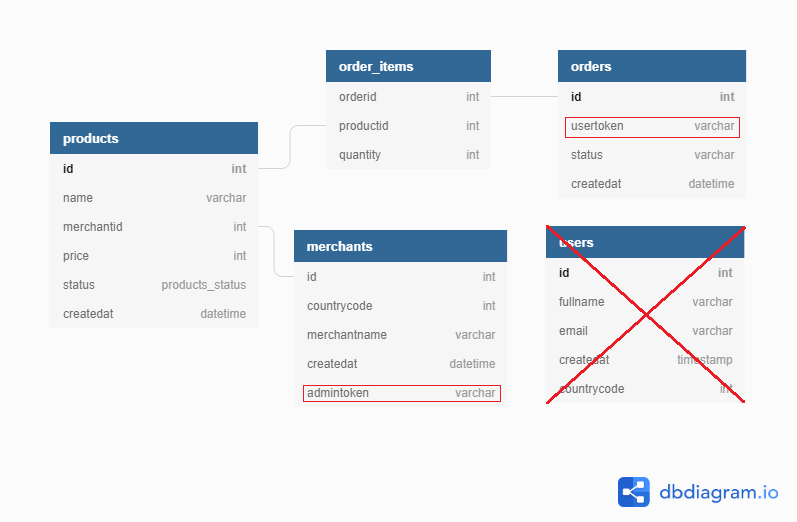
Change every table that references userid to reference usertoken instead, so the Databunker token becomes the only user identifier.
Next steps
- Quickstart
- Installation guide
- Databunker Pro: migrate a SQL users table, a step-by-step version of the same pattern